
Shop Mous iPhone 17 Cases
Shop Mous Galaxy S26 Cases
Shop Mous Pixel 10 Cases
Shop AirPods Cases at Mous
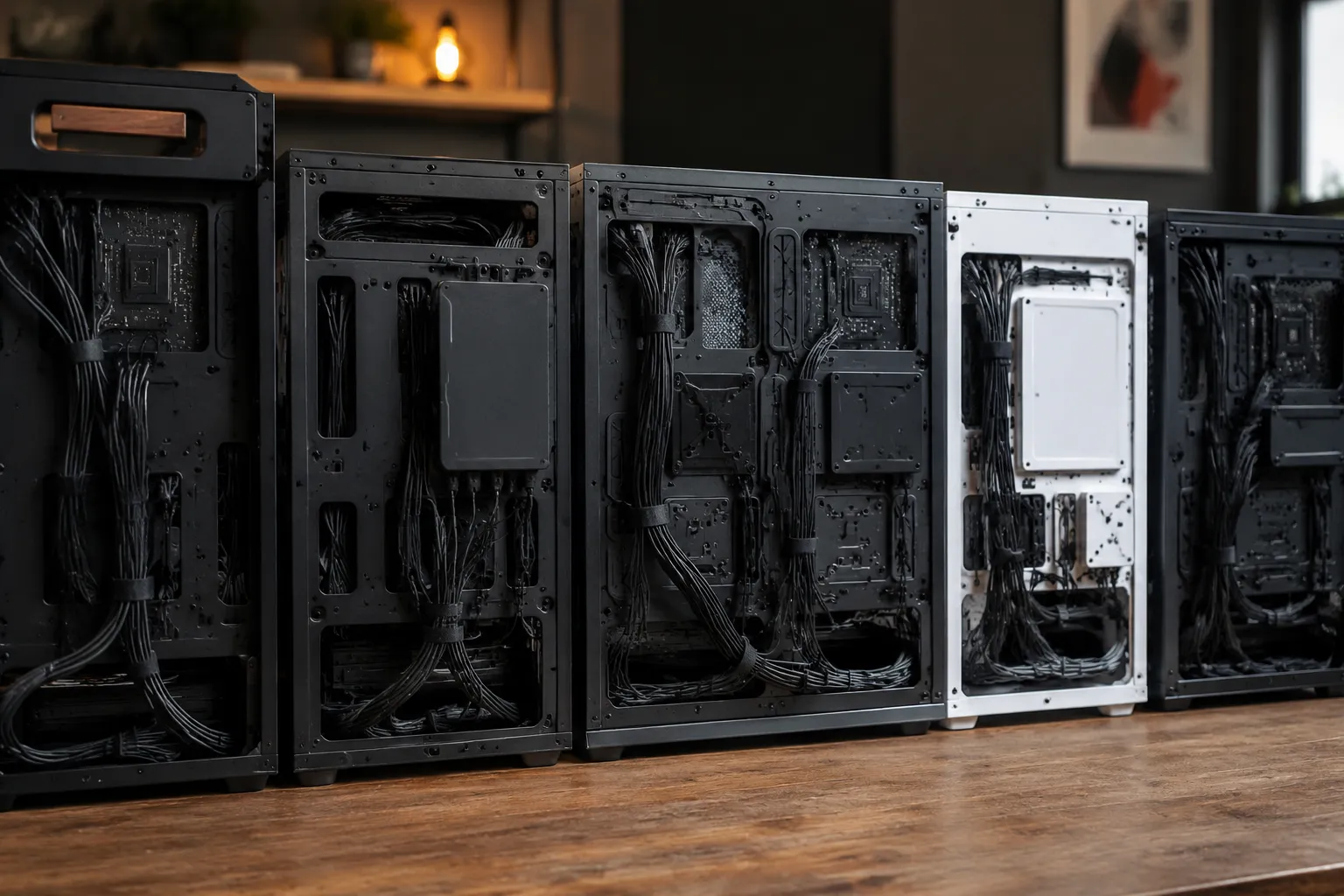
The worst part of building a bulk cable rig is never the cable. It is the moment after the last connector is crimped, when the bundle has to actually fit through the hole in the case, and the hole is a rectangle of stamped steel with edges like a dull saw blade. A person can spend an afternoon carefully routing 12 Cat6 lines and four power leads, only to discover the case's rear cutout was designed by someone who clearly never held a cable in their hand. The market is full of excellent enclosures with terrible port openings, and a handful of surprisingly forgiving ones. The difference matters more than any other single spec on the sheet.
Bulk cable pass-through is a specific problem. Rackmount gear has standardized rear panels with punched holes that line up with connectors. Desktop cases, the kind people actually use for homelab builds and small studio racks, treat cable egress as an afterthought. The result is a lot of swearing, a lot of electrical tape, and a lot of cases returned within a week of purchase. The question of which case has the most forgiving port cutouts deserves a real answer, not a spec sheet comparison.
What a Forgiving Cutout Actually Means
A forgiving cutout is not the same as a big cutout. A giant open rectangle in the back of a case is easy to route through but turns the interior into a dust farm and lets electromagnetic interference wander in and out like it owns the place. The truly forgiving designs use grommets, removable plates, or a two-piece clamping system that seals around the bundle after it is in place. The good ones let a person thread cables first and tighten the seal second, which is the only workflow that makes sense when the bundle is already terminated on both ends.
The other half of forgiveness is edge quality. A cutout with rolled edges, a plastic insert, or a rubber grommet will not shave the jacket off a cable when the bundle shifts during maintenance. Stamped steel with burrs will. Anyone who has pulled a bundle back through a hole to reseat a connector knows the specific sound of a cable jacket snagging on a rough edge. It is the sound of a case getting returned.
The Fractal Design Node 804 Has the Right Idea
The Fractal Design Node 804, a cube-style case built for micro-ATX boards, is the quiet champion of cable egress. It has a rear chamber with two large grommeted openings on the motherboard tray, plus a pair of rubber-lined holes near the PSU area. The grommets are not decorative. They are thick, pliable, and sized so that a bundle of six cables can be pushed through without removing the insert. The rubber compresses around the cables and holds them snugly, which keeps the interior looking clean and stops the bundle from chafing against the case walls.
The case also has a removable top panel that exposes a full-length channel above the motherboard tray. This channel is where the bulk cable nightmare dies. A person can lay a pre-terminated bundle along the top, drop it through the grommeted hole near the rear I/O, and never have to bend any cable more than 45 degrees. That matters. Bulk cable is stiff, and forcing it through a 90-degree turn inside a cramped chamber is how jackets split and conductors break.
Fractal did not invent the grommeted pass-through. But the Node 804's implementation is better than most because the grommets are large enough to pass a fully assembled connector. Many cases have grommet holes sized for bare wire, which is useless for someone routing pre-terminated cables. The Node 804's rear grommets measure roughly 25 mm across, which clears a standard RJ45 plug with room to spare.
The Silverstone CS380 Trades Grace for Brawn
Silverstone's CS380 is a rackmount-style chassis that desktop users adopted because it holds eight hot-swap drive bays and has a rear panel that actually respects cable routing. The rear cutouts are not grommeted. They are rectangular openings with rounded corners, and the edges are rolled, not stamped. Rolled edges mean no burrs, no sharp corners, and no jacket damage when a bundle rubs against the opening during a drive swap.
The CS380's party trick is the removable rear panel section around the expansion slots. It comes off with two thumbscrews and gives direct access to the entire rear I/O area. A person can pre-terminate a bundle, install it into the case, then attach the rear section around the cables. This solves the single biggest problem with bulk cable installs: the order of operations. Most cases force a person to route cables before securing the board, which is backwards for anyone who needs to test connections first.
The trade-off is that the CS380's rear openings are not sealed. There is a gap around the removable section that will let dust in. For a homelab in a carpeted room, this matters less than the convenience. For a studio with a lot of foot traffic, it is a real consideration.
The Cooler Master NR600 Is the Budget Answer
Cooler Master's NR600 is a $70 case that punches above its class in exactly one way: the rear cable cutouts have thick rubber grommets that stay in place. Many budget cases ship with grommets that pop out the first time a cable snags them. The NR600's grommets are friction-fit into a recessed channel, and they do not move. The holes themselves are generous, roughly 20 mm by 30 mm, which clears most connectors.
The NR600 also has a PSU shroud with a grommeted opening near the front. This lets a person route power cables from the bottom chamber up to the motherboard without the bundle crossing the GPU area. It is a small thing, but for bulk cable runs that include both data and power, separating those two paths at the case level saves a lot of headache later. Interference between power and data lines is a real phenomenon, and a case that physically encourages separation is doing the builder a favor.
What the NR600 lacks is a dedicated bulk pass-through at the rear. The grommets on the motherboard tray are the only route, and they require the cables to make a 90-degree turn from the tray to the rear panel. For a bundle of thin Cat6 lines, this is manageable. For thick, shielded cable or pre-terminated fiber, it is a fight.
The Be Quiet Silent Base 802 Gets the Details Right
Be Quiet's Silent Base 802 is expensive, but it is the only case on this list where the cutouts feel like they were designed by someone who actually routed a bundle of cables at 2 a.m. The rear I/O area has a vertical slot covered by a sliding plastic door. The door can be removed entirely, which opens a continuous channel from the top of the case to the bottom. A pre-terminated bundle can be laid into this channel, then the door slides back to close the opening around the cables.
The sliding door is the best bulk cable solution in the consumer market. It seals the opening, holds the bundle in place, and does not require a person to thread connectors through a fixed hole. The door has a rubber lip along its edge that compresses against the cables, which stops vibration noise and keeps the interior from becoming a dust highway.
The Silent Base 802 also has grommeted openings on the motherboard tray that are large enough for a person to pass a hand through. This is the forgiveness test that matters most: if a hand fits, a connector fits. The grommets are split-ring style, meaning they can be pushed aside temporarily and they snap back into place. No other case on this list offers that combination of a full-length rear channel and hand-sized tray openings.
The Fractal Meshify 2 Is a Study in Missed Potential
Fractal's Meshify 2 is a fantastic case for airflow and terrible for bulk cable. The rear cutouts are grommeted, but the grommets are small and positioned close to the motherboard tray. A bundle of six cables routed through a single grommet will compress the rubber so hard that the grommet distorts and pops out of its channel. This is not a theoretical problem; it is a common complaint in build logs.
The Meshify 2 has a removable top panel that exposes a cable channel, similar to the Node 804, but the channel does not connect cleanly to the rear I/O area. There is a structural crossbar in the way. A person has to route cables around the crossbar, which defeats the purpose of a continuous channel. The case is a reminder that good intentions do not count. The cutouts look right in photos, but the geometry underneath ruins the experience.
What to Check Before Buying a Case for Bulk Cable
The first check is connector clearance. A person should measure the largest connector that will be routed, usually an RJ45 pass-through plug or a thick power connector, and compare it to the actual grommet opening. Spec sheets rarely list the grommet dimensions, so the reliable move is to look at build logs or forum photos. A grommet that looks large in a product render can be surprisingly small in person.
The second check is the path from the grommet to the rear panel. A grommet that is easy to reach from the back of the case is useless if the cable has to bend sharply to get there. The best cases have the grommets aligned with the rear openings, so the cable travels in nearly a straight line. The worst cases force a cable into an S-curve.
The third check is whether the cutout has a seal. A bare metal opening, even with rolled edges, will let dust in and does nothing to hold the bundle in place. A grommet or a plastic door is the difference between a clean install and a bundle that shifts every time the case is moved.
The fourth check is the order of operations. Can the rear panel be removed after the cables are routed? Can the motherboard tray be pulled out with cables attached? Cases that allow for late-stage cable management are rare, and they are worth the premium.
The Verdict on the Node 804's Grommets Versus the Silent Base 802's Door
Between the two best options, the choice comes down to whether the bundle is terminated before or after the case is assembled. For a person who builds a custom bundle with a pass-through wall plate, the Node 804's grommets are the better fit. The grommets are sized for connectors, and the case allows the bundle to be routed and sealed without any special tools.
For a person who is assembling a bundle in place, connector by connector, the Silent Base 802's sliding rear door is the better choice. The door can be left open while the bundle is built, then closed at the very end. This eliminates the single worst moment in a bulk cable build: trying to feed a partially assembled bundle through a hole that is too small.
The Node 804 has a second advantage: it is cheaper, often by $80 or more. The Silent Base 802 justifies its price with better noise damping and a more refined interior, but for a pure bulk cable build, the Node 804 delivers 90 percent of the utility at 60 percent of the cost. The remaining 10 percent is the sliding door, and for some people, that door is worth every penny.
The CS380 remains the right answer for rackmount installations where the case sits in a rack and the rear is accessible. Its removable rear section is a clever workaround, but the lack of a seal means it is not the best choice for a desktop build in a dusty room. The NR600 is the fallback for a tight budget, but the 90-degree bend requirement makes it a poor choice for thick or shielded cable.
The Meshify 2 is a reminder that a case can be excellent in every other regard and still fail the bulk cable test. The cutouts are the part of a case that gets the least attention during design, and it shows. A person can live with a mediocre airflow layout. A person cannot live with a rear panel that shreds cable jackets and pops grommets out of their channels. The most forgiving cutouts are the ones that make the cable disappear, and only three cases on this list actually achieve that: the Node 804, the Silent Base 802, and the CS380 with a dust filter taped over the gap.