
Shop Mous iPhone 17 Cases
Shop Mous Galaxy S26 Cases
Shop Mous Pixel 10 Cases
Shop AirPods Cases at Mous
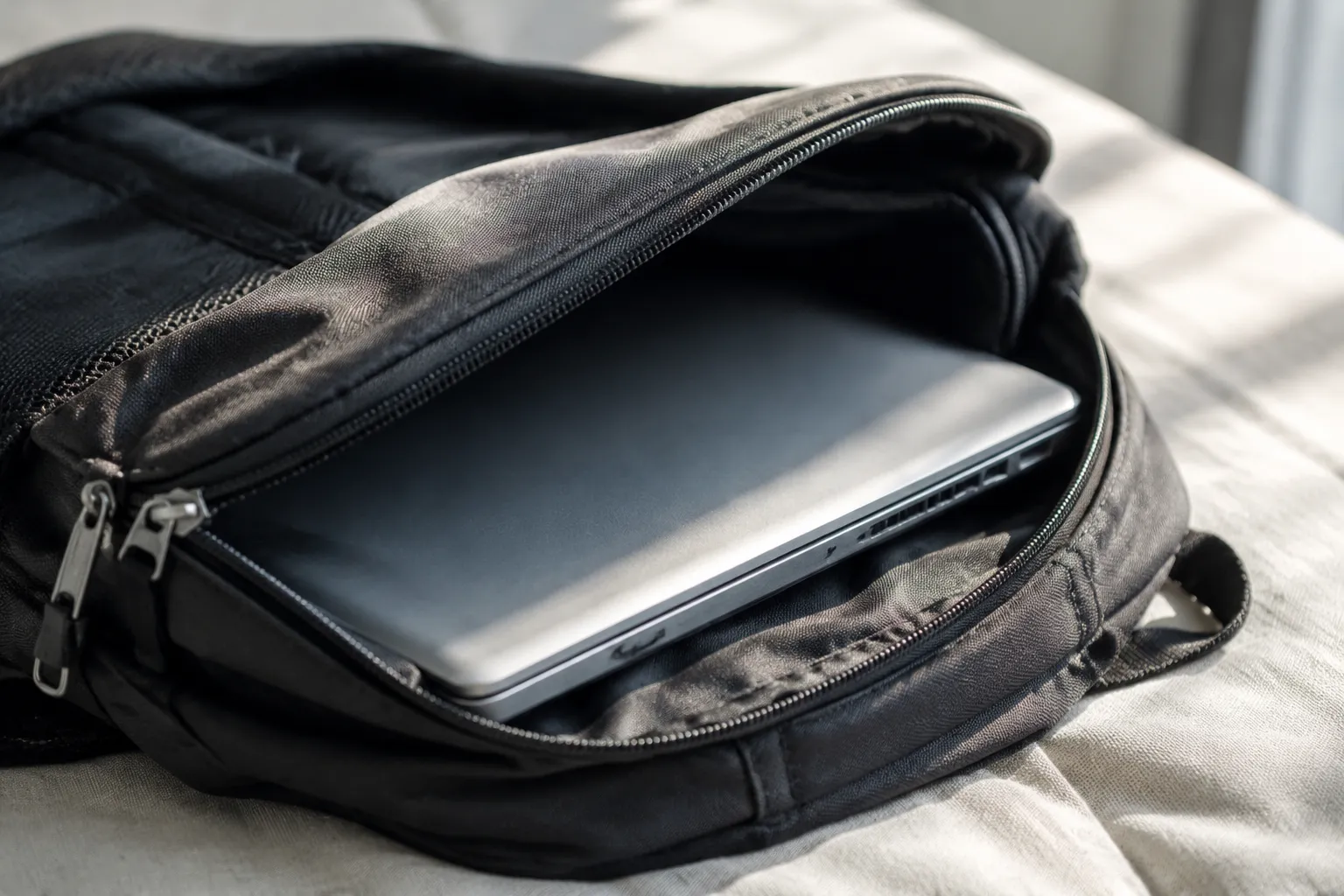
The laptop bag is where modern computers go to die slowly, and the cause of death is almost never a drop or a spill. It is heat, trapped in a dark, padded envelope with no ventilation and no escape route. A laptop closed into a messenger bag after a morning of work is not simply resting. The processor is still warm, the battery is still chemically active, and the chassis is radiating heat into a foam-lined pocket that acts like an insulated lunchbox. The machine cooks in its own residual warmth, and the damage accumulates invisibly until the day the screen flickers or the battery swells or the logic board stops recognizing its own components.
Every laptop user has done it. The machine goes into a bag while still warm, sometimes still running, and sits in a car trunk or under a desk or on a train seat for hours. The heat has nowhere to go. Air is a poor conductor, and the bag's padding is an even poorer one. The result is a slow bake that degrades lithium-ion cells, weakens solder joints, and stresses the thermal paste that sits between the processor and its heat sink. The laptop comes out of the bag feeling warm to the touch, and that warmth is the machine telling its owner something important that almost nobody hears.
The physics of a closed bag
A laptop's cooling system assumes open air. The fans pull cool air in from the bottom and sides, push it across fin stacks, and exhaust it out the back or the side. That airflow is the machine's only defense against its own output. A modern processor in a slim ultrabook can draw 28 watts or more under load, and all of that energy becomes heat. Under typical office work, the load is lower, but even at 5 or 10 watts, the machine stays meaningfully above room temperature. The chassis, usually aluminum or magnesium alloy, acts as a secondary heat spreader, which is why a laptop in use always feels warm underneath.
When that warm chassis goes into a bag, the conditions change completely. The fabric liner, the foam padding, and the felt dividers all have low thermal conductivity. They trap the heat against the metal rather than letting it radiate away. In an open room, a laptop at idle will stabilize around 40 to 45 degrees Celsius at the surface. Inside a bag, that same laptop can hold 55 to 65 degrees for hours, depending on how tight the fit is and how much insulation surrounds it. The internal components run hotter because the chassis cannot shed its heat, and the fans, if they even spin, are pulling from a pocket of already-warm air.
The damage is not immediate and dramatic. It is cumulative and quiet. Lithium-ion batteries age faster at elevated temperatures. A battery stored at 60 degrees Celsius loses capacity at a meaningfully higher rate than one stored at 25 degrees. The chemistry simply breaks down faster. The cells swell as internal pressure builds from degraded electrolyte, and a swollen battery is a ticking problem that warps the chassis and eventually pushes against the trackpad or keyboard from underneath. Solder joints on the motherboard, especially the ball grid array connections under the processor and graphics chip, experience thermal cycling that grows worse when the base temperature starts higher. The machine does not fail all at once. It fails a little more every time it gets bagged while hot.
Sleep mode is a myth for a warm machine
Most people assume that closing the lid puts the laptop to sleep and stops the heat problem. Closing the lid activates sleep mode, but sleep is not off. The system keeps memory refreshed, maintains network connections for features like Wake on LAN, and polls for wake events. The processor may drop to very low power states, but modern processors still consume 0.5 to 1.5 watts in sleep, and that power becomes heat. The fans stop, which means the heat has no active removal path. A laptop that was running warm before the lid closed stays warm, and the insulation of the bag keeps it warm for a long time.
Worse is the laptop that goes into the bag still fully awake. Many people close the lid and assume the machine sleeps, but certain settings, background tasks, or an external monitor connection can keep the system running. The processor works through updates, antivirus scans, or indexing jobs while sealed in the bag, generating full operating heat with zero ventilation. A laptop doing a background update in a bag can reach internal temperatures that would normally trigger fan speed increases, except the fans are blowing against a wall of fabric. Some machines have thermal sensors that detect the condition and aggressively throttle, but not all do, and throttling alone does not bring temperatures down to safe levels. It just stops them from climbing into the danger zone.
The solution sounds simple: shut the laptop down before bagging it. But shutdown is a friction point, and people avoid friction. Booting back up takes time, reopens all the windows, and interrupts the flow of work. The convenient move, the one almost everyone makes at the end of a work session, is to close the lid and walk away. That convenience has a thermal cost that the machine pays for the rest of its life.
What the bag itself does to the airflow design
Laptop bags are designed by people who think about protection and aesthetics, not about airflow. The foam padding that cushions a laptop from drops is the same foam that traps heat. The tight sleeve that holds the laptop securely in place is the same sleeve that prevents any air circulation around the chassis. Many bags have a padded compartment that fits the laptop almost exactly, leaving no gap for air movement. The machine sits wedged between two insulated panels, surrounded by a few millimeters of stagnant air, which is itself an excellent insulator.
Some bags attempt to address this with a mesh lining or a breathable fabric, but mesh against a flat metal surface does nothing. Air needs a path to move, and a sealed compartment has no path. Even a bag with a mesh pocket on the side offers little help, because the laptop itself blocks the opening. The only truly ventilated laptop bag would be one with rigid spacers that hold the laptop off the surfaces and gaps that allow a cross-flow of air, and almost nobody makes that because it would compromise the slim profile that buyers want and add thickness that defeats the purpose of a bag.
The design conflict is fundamental. A bag must protect the laptop from impact and weather, which requires padding and closures. Those same features isolate the laptop thermally. Every layer of protection is a layer of insulation. The laptop bag industry has spent decades optimizing for drop protection and water resistance while the thermal problem grows worse with each generation of thinner, more power-dense hardware. A 2015 laptop in a bag at least had a plastic chassis that conducted less heat than the metal unibody machines of today. Modern laptops are effectively sealed heat sinks that radiate more efficiently in open air and therefore suffer more when that air is cut off.
The commute scenario nobody warns about
The worst case is the daily commute in warm weather. A laptop goes into a bag after a session at a coffee shop, already warm from use. That bag goes into a car, where the cabin temperature on a summer day can reach 60 degrees Celsius or more even with the windows cracked. The bag adds its own insulation on top of that. The laptop is now sitting in an environment that combines the residual heat of operation with external ambient heat that the interior of the vehicle is generating. The machine reaches thermal equilibrium at a temperature that would be considered a hardware stress test.
Public transit is not much better. A bag carried against the body absorbs body heat through the fabric. The laptop side of the bag rests against a thigh or a back, adding another source of warmth. On a crowded train in summer, the ambient temperature in the car is already elevated, and the bag is pressed between the owner and other passengers. The laptop spends the commute baking at whatever temperature the environment dictates. This is not a rare edge case. This is the daily reality for millions of commuters, and most of them have no idea that the cumulative effect of these rides is shortening the life of their hardware.
The laptop manufacturers know about this. The user manuals and support pages for every major brand include a warning about operating and storage temperatures. Most specify a storage range that tops out around 45 degrees Celsius, which is well below what a car interior or a body-warmed bag reaches on a summer commute. The warranties cover defects, but they do not cover damage from environmental heat exposure. A laptop that dies after a year of hot commutes is not a manufacturing problem. It is a usage problem, and the user absorbs the cost.
Signs that the heat has already done its work
Most people do not notice the damage until it is far along. The first sign is usually battery life. The laptop that used to run five hours on a charge now dies after three, or the battery percentage drops suddenly from 40 percent to 10 percent without the gradual drain that normal degradation shows. This is the chemistry failing, and heat is the primary accelerant. The battery might also physically swell, which appears as a bulge in the bottom panel or a trackpad that becomes hard to click because the battery underneath is pushing up against the assembly.
The second sign is fan behavior. A laptop that never used to spin its fans at idle now runs them constantly, or the fans run at high speed for no apparent reason. This means the thermal management system is compensating for degraded heat transfer. The thermal paste between the processor and the heat sink has dried and cracked from repeated high-temperature cycling, or the heat pipes have accumulated internal resistance, or the chassis itself has lost some of its ability to spread heat evenly. The machine works harder to achieve the same cooling, which generates more heat, which accelerates the degradation.
The third sign, and the most serious, is instability. Random shutdowns, freezes under light load, or the blue screen of death appearing during ordinary tasks all point to components that can no longer hold their timing margins at elevated temperatures. The solder joints under the memory chips or the graphics processor have micro-cracks that only manifest when the system gets warm and the materials expand. A laptop that crashes when hot and works fine when cold is a laptop whose motherboard has been thermally damaged over time.
Practical habits that actually reduce the heat exposure
The single most effective change is also the least convenient: shut the laptop down before putting it into a bag. A machine that is off stops generating heat immediately, and the residual warmth dissipates quickly through the chassis even in a closed bag. The internal temperature drops to ambient within a few minutes, and the battery stops its chemical activity. This one habit removes the vast majority of thermal risk. It costs thirty seconds on the way out and thirty seconds on the way in. For someone who uses a laptop for years, those seconds are a trivial price for hardware that lasts.
For people who refuse to shut down, the next best option is to leave the laptop out of the bag to cool before packing it. Five minutes on a desk, with the lid open and the fans allowed to spin, drops the internal temperature significantly. The machine can then be slept and bagged without carrying the working heat into the compartment. This requires planning and discipline. The laptop should be set down, the user should finish other tasks, and the bag should be packed last. The habit feels awkward at first, but it mirrors what anyone would do with a hot pan: let it cool before storing it.
A third option, less effective but still useful, is choosing a bag with a dedicated laptop compartment that does not wrap the machine completely. Some bags have a suspended sleeve that holds the laptop away from the bottom panel and allows some airflow around the edges. Others have a compartment that opens to the back panel of the bag, which can rest against a cooler surface when the bag is set down. None of these solve the problem entirely, but they reduce the peak temperatures that the machine experiences during transport. The difference between 45 and 55 degrees Celsius matters for component longevity even if neither is ideal.
The environmental factor that makes everything worse
Climate matters more than most users acknowledge. A laptop owner in a temperate region, carrying a bag through 18 degree weather, has a far easier thermal situation than someone in Phoenix or Austin or Singapore. The ambient temperature determines the floor for the laptop's thermal condition. A bag left in a car in winter does not threaten the laptop, but that same car in summer, even with the laptop powered off, can exceed the storage temperature rating of the internal components. The battery, in particular, degrades when stored in hot environments regardless of whether the machine is running.
The interaction between ambient heat and operating heat is worth understanding. The laptop's cooling system only moves heat from the inside to the outside. If the outside is 40 degrees, the cooling system has to work harder to maintain a safe internal temperature than it would at 20 degrees. The fans spin faster, the machine runs warmer at idle, and when it goes into a bag after use, the starting temperature is already elevated. The bag then holds that elevated temperature in place. Hot climates compound every other thermal problem, which means users in those regions have to be more disciplined about shutdown and cooling habits than users in mild climates.
For people who live in hot regions and commute with laptops, the shutdown habit is not optional. It is the difference between a machine that lasts four years and one that lasts eighteen months. The laptop bag cannot protect the machine from heat. It can only trap it. The user has to intervene at the source, which means refusing to let the machine carry its heat into storage.
What the repair shops see
Independent repair technicians see the consequences of this problem constantly. A common failure pattern involves a laptop that arrives with a battery swollen to the point where the trackpad is unusable or the bottom panel has popped its screws. When the technician opens the machine, the battery is visibly deformed, and the interior shows signs of heat exposure: discolored thermal pads, brittle tape, or a logic board with a subtle brown tinge around the processor. The owner usually reports that the laptop was always carried in a bag and often left in a car. The diagnosis is heat, and the heat came from the bag.
The economic equation is brutal. A battery replacement runs anywhere from 100 to 250 dollars depending on the model. A logic board replacement can exceed the resale value of the entire machine. Even a simple repair like replacing dried thermal paste requires disassembling the laptop and carries its own labor cost. The user who could have prevented the damage with a thirty-second shutdown habit instead pays hundreds of dollars to repair a problem that was entirely avoidable. The repair shop sees this every week, and there is no fix that substitutes for prevention.
The laptop bag industry has not stepped up to solve this because the problem is invisible at the point of sale. A shopper looking at a bag evaluates padding thickness, zipper quality, and water resistance. Nobody asks about thermal performance, and no bag manufacturer advertises it. The market has no incentive to address a problem that buyers do not know exists. Until that changes, the responsibility falls entirely on the person carrying the laptop, and that person has to learn the thermal realities of the equipment they own.
The habit that changes the outcome
The laptop is the only piece of expensive electronics that people routinely store at operating temperature. Nobody puts a warm phone into a sealed case for an eight-hour car ride. Nobody wraps a running game console in foam and slides it under a seat. The laptop gets this special treatment because it moves constantly, because the work flow demands immediate transitions, and because closing the lid feels like the end of a session even when it is not. The convenience of that motion carries a thermal penalty that compounds with every commute, every meeting, every move from desk to bag to home.
There is no bag, sleeve, or case that fixes this. The foam that protects the machine from impacts is the same foam that bakes it. The only real solution is behavioral, and it is twofold: let the machine cool before it goes into the bag, or shut it down entirely. The laptop that enters its bag at ambient temperature survives. The laptop that enters its bag at operating temperature, sealed into insulation, slowly accumulates damage. The choice is made in seconds, every day, by every laptop owner, and the consequences show up months or years later in battery health, in system stability, and in the cost of repairs that should never have been necessary.