
Shop Mous iPhone 17 Cases
Shop Mous Galaxy S26 Cases
Shop Mous Pixel 10 Cases
Shop AirPods Cases at Mous
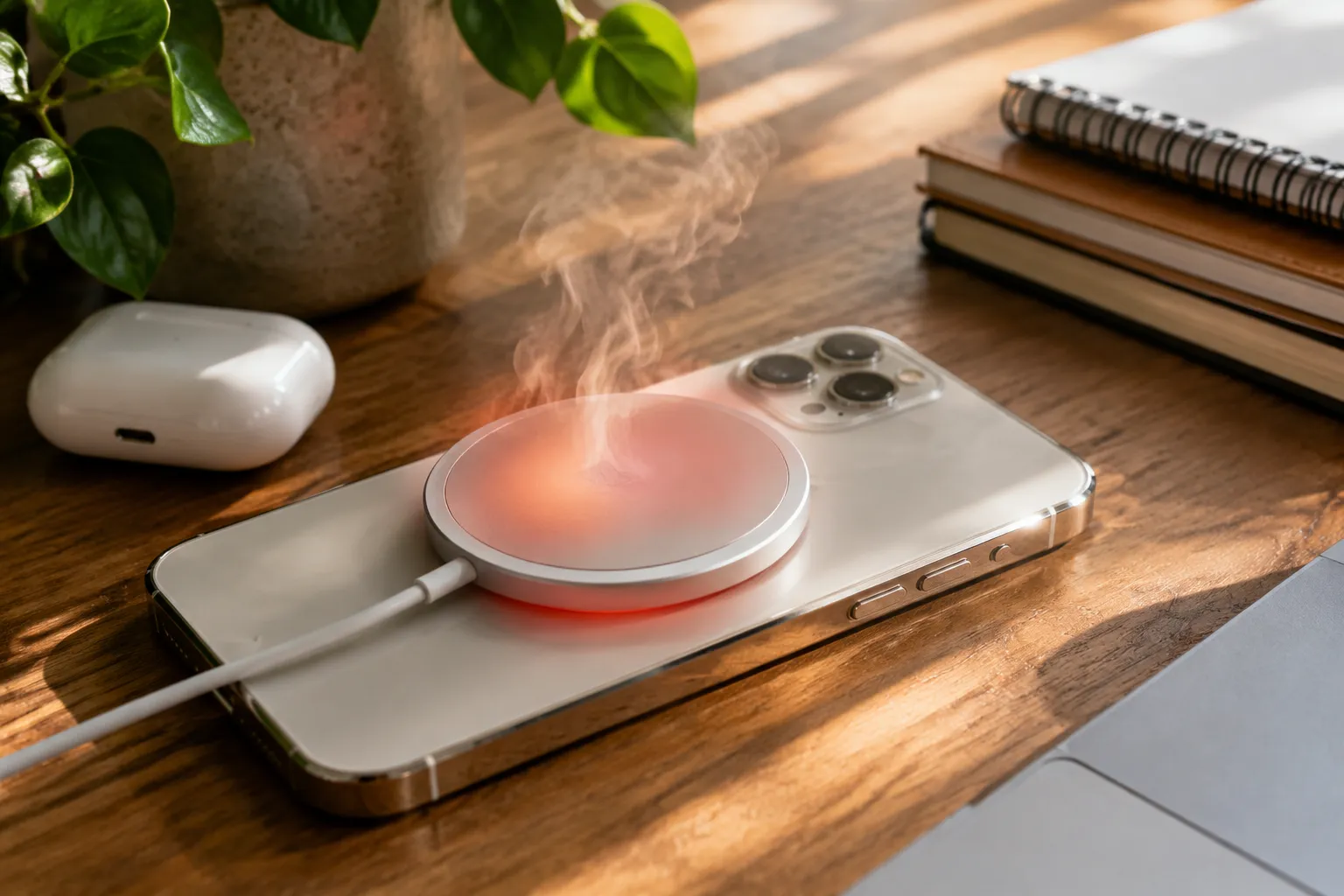
Heat in a MagSafe charger is physics doing exactly what physics does, but that does not make it acceptable. Apple's own documentation states the charger works best between 0 and 35 degrees Celsius, which means a puck that hits 40 degrees on a warm desk has already left its comfort zone. The uncomfortable truth is that most of the heat complaints stem from a design that prioritizes thinness and grip over thermal headroom, paired with charging habits that push the system past its limits.
The iPhone 15 Pro Max and newer models can pull up to 25 watts through MagSafe, a figure that sounds modest until one considers the surface area involved. A charger puck is roughly the size of a large coin, and asking it to handle that much power while maintaining a magnetic connection through a glass back creates a genuine engineering puzzle. Heat is the price of that puzzle, and the user experience depends on how well the system manages it.
The Alignment Problem Nobody Mentions
Most people assume the phone and the puck snap together in one perfect position. The magnets do align the devices, but only within a tolerance that leaves room for error. A phone case with a magnetic ring that sits slightly off center, or a grip that shifts the phone a millimeter during attachment, can mean the charging coil inside the phone does not sit directly over the coil in the puck.
Misalignment does not stop charging entirely. It makes charging inefficient, and inefficiency in wireless power conversion shows up as heat rather than as faster charging. The system detects the poor connection and compensates by pushing more power to achieve the same result. That extra power becomes heat on both the puck and the phone back. A person who swears the charger has always run hot might simply have a case that throws off the alignment.
The fix starts with a simple test. Place the phone on the puck without a case and watch the charging animation. Then put the case on and do the same. If the animation appears slower or the phone feels warmer within ten minutes, the case is the culprit. Many magnetic cases advertise compatibility but use rings that are slightly too thick or positioned a fraction off the official spec.
Why Fast Charging Makes the Heat Worse
Fast charging is a thermal bargain. The system agrees to push more watts in exchange for a shorter charging session, and the wattage creates waste heat that has nowhere to go. A phone charging at 15 watts will run cooler than one charging at 25 watts, all else being equal. The difference is not trivial. Users who enable optimized charging and plug in overnight rarely need the extra speed, yet the phone negotiates the highest wattage it can manage based on its current state.
The charging speed is not a fixed number. It ramps up, holds, then tapers as the battery fills. The heat follows that curve, peaking during the middle phase when power delivery is highest. A phone at 20 percent battery will generate more heat than a phone at 70 percent, because the system requests more power when the battery has room to accept it. This explains why some nights the charger feels barely warm and other nights it feels genuinely hot.
There is also the matter of background activity. A phone that is downloading updates, syncing photos, or running navigation while charging will generate its own internal heat. That heat combines with the charger's heat, and the combined temperature can push both devices into thermal throttling. The phone slows charging to protect the battery, but the user perceives the slowness as a problem with the charger rather than a protective measure.
The Cooling That Apple Left Out
Apple's MagSafe puck is a sealed aluminum and plastic assembly with no active cooling. There is no fan, no heat pipe, no ventilation channel. The design relies entirely on passive dissipation, which means the puck relies on the surrounding air to carry heat away. In a warm room, with the puck resting on a wooden desk or a fabric surface, that passive dissipation has almost nothing to work with.
The material of the surface matters more than most people realize. A metal desk acts as a heat sink, drawing warmth away from the puck. A wooden desk insulates. A fabric mousepad or a bed sheet might as well be a blanket. The puck's own temperature can differ by several degrees based solely on what sits beneath it.
Third-party chargers have experimented with solutions Apple ignored. Some use larger aluminum housings that spread heat across more surface area. Others incorporate small fans that activate above a temperature threshold. A few use phase-change materials that absorb heat during charging and release it slowly afterward. These designs add bulk and cost, which is likely why Apple has stuck with its slim puck, but the thermal reality is that the slim puck runs hotter under load than its larger competitors.
Four Practical Ways to Bring Temperatures Down
Give the Puck a Hard, Open Surface
The single most effective change costs nothing. Move the charger off fabric and onto a hard surface with room around it. A bare desk, a glass tabletop, or a piece of stone all work well. The puck needs air on all sides, and it needs a surface that does not trap heat. Someone who charges on a nightstand should check whether the charger sits on a book, a cloth, or directly on the wood.
A small aluminum heatsink pad marketed for laptops or SSDs can also help. These pads cost around fifteen dollars and provide a flat, thermally conductive surface that draws heat away from the puck's underside. The puck sits on the pad, the pad spreads heat across its fins, and the air carries it away. This is not a glamorous solution, but it is effective.
Remove the Case When Charging Fast
A case adds a thermal barrier between the phone's glass back and the cooler air. Even a slim case traps heat, and thick protective cases can raise temperatures by several degrees. The magnetic ring inside many cases also adds a layer of metal that absorbs heat and holds it. Charging naked, as Apple expects for optimal thermal performance, lets the phone shed heat directly into the air.
This is not practical for everyone, especially those who rely on a case for drop protection. An alternative is to charge at a lower wattage when a case is on. The phone does not offer a manual wattage selector, but using an older MagSafe charger or a standard Qi charger at 7.5 watts will generate less heat than a 25-watt fast charge through a case.
Position the Phone Correctly and Check the Animation
Every MagSafe charger triggers an animation when the phone locks on correctly. A slow or absent animation means poor alignment. The magnets should guide the phone into place, but a person who drops the phone onto the puck rather than placing it deliberately might land slightly off. Picking the phone up and setting it down again usually corrects the alignment.
This advice sounds too simple to matter, but misalignment is one of the largest sources of unnecessary heat. The charging system has no way to physically reposition the coils, so it compensates electrically by pushing more power. A deliberate placement that results in a clean animation can cut charging temperature by several degrees, especially with third-party chargers whose magnets may be weaker than Apple's own puck.
Charge in a Cooler Room or During Cooler Hours
Ambient temperature directly sets the floor for how cool the charger can run. A puck in a 75-degree room will run hotter than the same puck in a 65-degree room, because the temperature difference between the puck and the air drives heat dissipation. Charging overnight in a warm bedroom during summer months will always produce more heat than charging during a cool morning.
Air conditioning helps, but so does simply moving the charger away from other heat sources. A charger next to a laptop exhaust vent, a monitor, or a window with direct sunlight will absorb heat from its surroundings. Giving the charger a spot with clear air circulation, away from other electronics, allows it to shed heat effectively.
When Heat Signals a Real Problem
Some heat is normal, but a charger that becomes painful to touch or emits a burning smell has crossed into failure territory. The MagSafe puck contains electronic components that can degrade with sustained high temperature, and a puck that runs hot every single day will eventually fail. Apple's warranty covers defects, and excessive heat that damages the phone or the charger itself qualifies as a defect in most cases.
Users should also watch for the phone's own thermal warning. Modern iPhones display a temperature message and pause charging when internal temperatures reach unsafe levels. That message is not a software bug. It is the last line of defense before permanent battery damage. A phone that regularly shows this warning while on a MagSafe charger needs a different charging setup, not a different cable.
The broader lesson is that wireless charging trades convenience for thermal inefficiency. A cable delivers power with almost no waste heat, while a magnetic puck loses a meaningful percentage to heat generation. That trade is acceptable for overnight charging or desk charging where convenience matters. It becomes a problem when someone expects wireless charging to behave exactly like wired charging, because the physics will not allow it.
The best approach is to match the charger to the situation. A MagSafe puck on a hard surface in a cool room, with the phone naked and properly aligned, will run warm but not hot. The same puck on a bedside table with a thick case, a soft surface, and a warm room will run hot enough to worry anyone. The hardware is the same. The conditions make the difference.