
Shop Mous iPhone 17 Cases
Shop Mous Galaxy S26 Cases
Shop Mous Pixel 10 Cases
Shop AirPods Cases at Mous
A phone case is a compromise the moment it goes on. The thin ones break on the first drop. The rugged ones turn a slim phone into a brick. And for anyone who bought a wireless charger in the last few years, the case has become a third variable in a silent negotiation between the phone, the charging pad, and the thickness of a few millimeters of plastic, silicone, or leather. The charging works. Then it stops. Then it works again only after the case comes off and the phone sits naked on the pad, glowing with the quiet resentment of a device that knows it has been humiliated.
Wireless charging compatibility is rarely a yes or no question. It is a spectrum of failure. Some cases kill the charge entirely. Some slow it to a trickle. Some work fine at home on a flat pad but refuse to cooperate with a magnetic mount in a car. The frustrating part is that the phone gives almost no useful feedback. It just sits there, not charging, or charging so slowly that the battery percentage drops while plugged into the future.
The physics is straightforward. A wireless charger uses an induction coil to create an alternating magnetic field. The phone has a receiving coil that converts that field back into electrical current. Anything between the two coils absorbs or deflects energy. Air does almost nothing. A thin layer of plastic does a little. A thick layer of rubber, a metal plate, a magnetic accessory ring, or a case with a built-in battery does a lot. The system has to work harder to bridge the gap, and when the gap gets too wide or too lossy, the charger simply gives up.
How thick is too thick
The official Qi wireless charging standard was designed with a simple assumption: the device sits directly on the pad. Cases were an afterthought. Most manufacturers quietly suggest that a case under 3 mm thick should work. That number is a polite fiction. It depends on the material, the phone model, the coil alignment, and the specific charger. A 2 mm case made of hard polycarbonate might charge perfectly. A 2 mm case made of thick silicone with a grippy texture might not, because silicone holds heat and the charger throttles down to protect itself.
Heat is the real enemy. Wireless charging already generates more heat than a cable. A case acts as an insulator, trapping that heat against the back of the phone. Modern phones manage their own thermals aggressively. When the battery gets warm, the charging speed drops. When it gets hot, charging stops entirely. A person can feel this happening. The phone rests on the pad, the back gets warm, and after ten minutes the charging indicator light on the pad starts blinking in a pattern that means trouble. The case did not block the signal. It cooked the phone into submission.
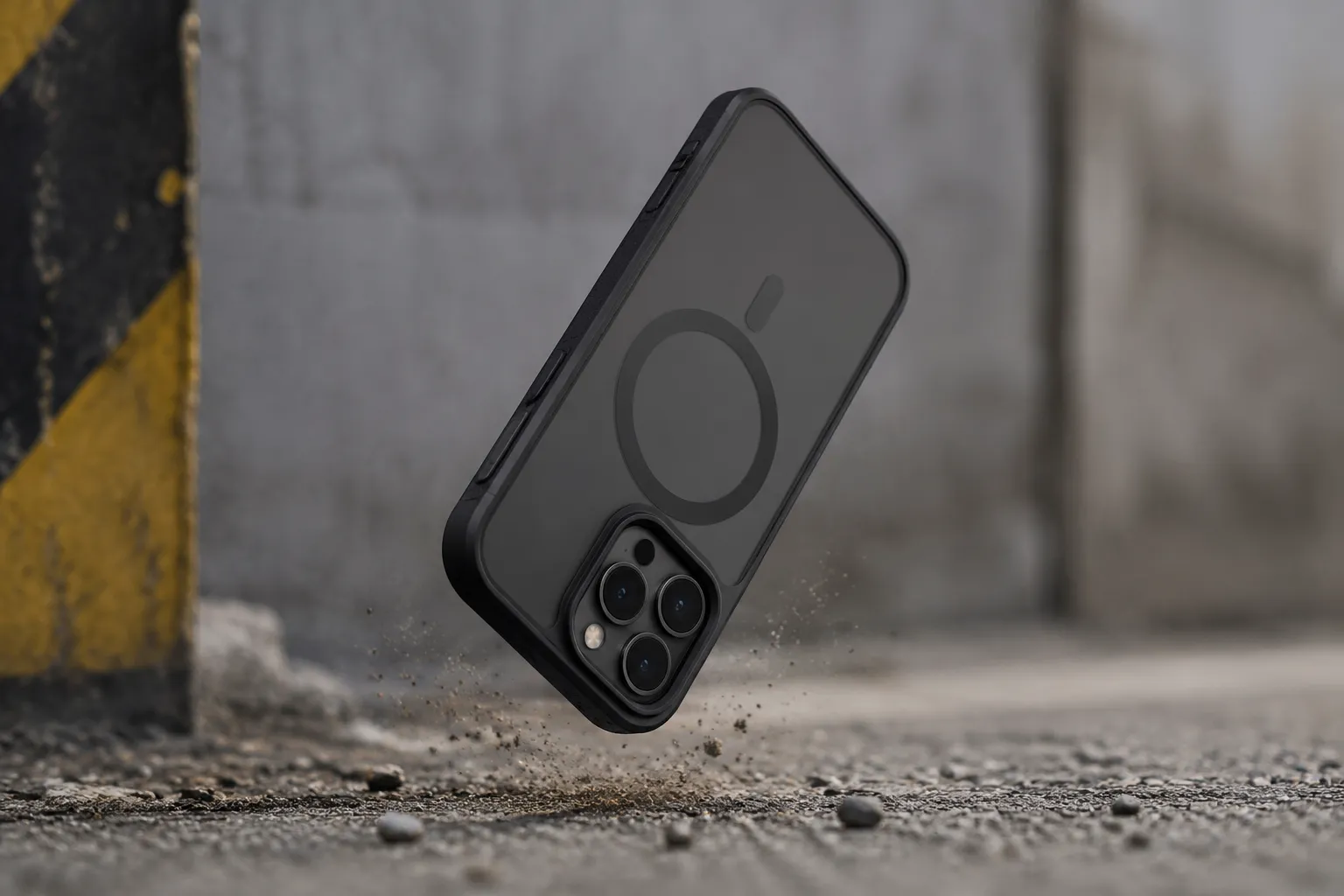
Rugged cases are the usual offenders. A case built to survive a drop from a ladder has thick corners, a reinforced back plate, and often a built-in screen protector. The back plate alone can be 2 to 3 mm of hard plastic or TPU. Add an air cushion corner design and the effective distance between the coils grows. Some rugged cases are so thick that the phone barely registers on the pad at all. The charger sends out its signal, the phone responds weakly, and the two devices spend a few seconds negotiating before the pad gives up and shows an error light.
The material matters more than the millimeter count
Thickness alone does not tell the whole story. Material composition matters just as much. Most cases are made of TPU (thermoplastic polyurethane), polycarbonate, silicone, leather, or some blend. TPU and polycarbonate are generally transparent to magnetic fields. They do not block the signal. They only add distance and insulation. Silicone is similar, though its heat retention makes it a worse choice for wireless charging than its flexibility would suggest.
Leather is a wildcard. A thin leather case, like the ones Apple sells for its own phones, usually works fine. The hide is only about a millimeter thick. But some third-party leather cases are stitched over a hard plastic frame with a metal clip or a magnet embedded in the back. That metal is the problem. A ferromagnetic plate or a steel insert will intercept the magnetic field and convert it into heat. The phone charges slowly, if at all, and the case gets uncomfortably warm.
Carbon fiber is another trap. It looks premium, it is thin, and it is strong. But carbon fiber can interfere with wireless signals depending on how it is woven. Some carbon fiber cases work flawlessly. Others create a partial shield that reduces charging efficiency by a noticeable margin. The inconsistency is maddening because there is no way to tell from looking at the case. A person buys it, slaps it on, and hopes.
The magnetic alignment problem
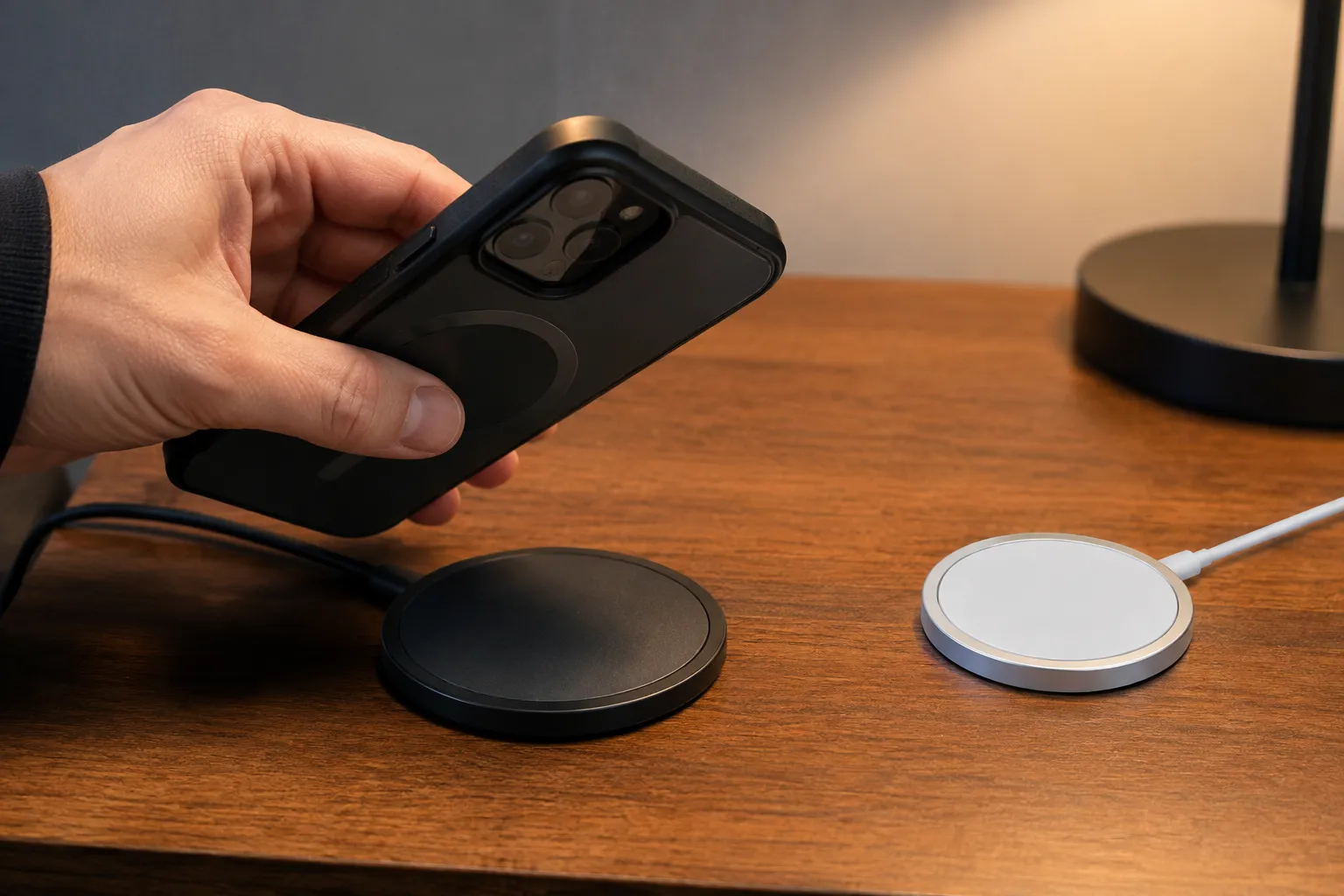
The iPhone's MagSafe system changed the calculation. Apple embedded a ring of magnets in the back of the phone, which allows accessories to snap on with perfect alignment every time. That alignment is critical for wireless charging. The coils need to overlap almost exactly to transfer power efficiently. Without the magnets, a phone can sit slightly off-center on a pad and charge at half speed or not at all.
Android phones have been slower to adopt magnetic alignment. Samsung's phones have an internal magnet arrangement for its own accessories, but it is not the same as MagSafe. Most Android users rely on adhesive magnetic rings stuck to the back of the phone or the inside of a case. Those rings introduce another layer between the coil and the pad. A cheap ring with poor tolerances can throw off the alignment that the charger expects. The phone snaps to the pad perfectly but charges worse than a phone without the ring.
Cases made for MagSafe have a built-in magnet ring. The case adds thickness, the magnet ring adds more, and the phone sits just far enough from the pad to trigger the slower charging profile. Apple's own silicone MagSafe case is about 2 mm thick and works well. Third-party versions are inconsistent. Some are thin enough that the magnetic hold feels weak. Others are thick enough that the hold is strong but the charging speed drops. There is a sweet spot, and many manufacturers miss it.
Testing a case without instruments
A person does not need a watt meter to figure out whether a case is killing the charge. There are simpler signs. Place the phone on the charger with the case on and wait for the charging indicator to confirm. Then check back after fifteen minutes and feel the back of the phone. If it is barely warm and the battery percentage has climbed a few points, the case is fine. If the phone is hot and the percentage has not moved, the case is interfering. If the charger never confirms a connection at all, the case is too thick or has metal in it.
Another test involves a slow charge versus a fast charge. Many phones show a different notification or sound for fast wireless charging compared to standard wireless charging. If the phone fast charges without the case and only standard charges with it, the case is adding enough distance or heat to push the system into the safer, slower profile. This is not a failure. It is a downgrade. The phone still charges, just slower, often by a factor of two or three.
The car mount test is the most revealing. A flat pad on a nightstand has gravity working in its favor. The phone sits still and the alignment holds. A magnetic mount in a car has vibration, bumps, and temperature swings from the sun beating through the windshield. A case that works fine on a nightstand can fail in a car because the magnetic connection is too weak to hold proper alignment over a bumpy road. The phone shifts a millimeter, the coil misaligns, and the charging stops. This is not a case defect. It is physics meeting potholes.
What actually works in the real world
Thin cases are the safest bet. A basic clear TPU case or a slim polycarbonate shell under 2 mm thick will almost always work with any Qi charger. The charging speed might be slightly reduced compared to a naked phone, but the difference is usually imperceptible in daily use. A person plugs the phone in at night, wakes up to a full battery, and never thinks about it again.
Rugged cases are a problem. Anyone who needs serious drop protection and wireless charging will have to choose between the two. Some rugged cases brands claim compatibility, and a few deliver it, but the ones that work are usually the thinner models in their lineup. The chunky ones with multiple layers of protection are best paired with a cable. The tradeoff is honest: a phone built to survive a construction site does not need the convenience of cordless power.
MagSafe cases require more research than they should. The Apple official cases work. Anker, Spigen, OtterBox, and a few other major brands have figured out the tolerances. The cheap no-name cases on marketplaces are a gamble. Some work perfectly because they are thin. Others fail because the magnet ring is positioned slightly wrong or the case material is too thick. Reading reviews helps, but only if the reviews mention wireless charging specifically. A case can get five stars for looks and drop protection while silently draining a phone's battery overnight.
The case that hides a battery
Battery cases deserve a special mention because they seem like a clever workaround. A case with a built-in battery charges the phone through the case's own connector or through a dedicated charging circuit. Some of these cases also support wireless charging, meaning the case itself can be topped up on a pad. This creates a strange situation where a person places the phone on a charger and the case charges first, then the phone charges from the case. The efficiency is terrible. Energy goes from the wall, to the pad, to the case battery, to the phone battery. Each step loses heat.
Do not buy the ones that claim to wirelessly charge the phone through the battery case. The case's own battery sits between the pad and the phone's receiving coil. The magnetic field has to penetrate the case's battery, its metal shielding, and its internal circuitry before reaching the phone. Some of these setups charge so inefficiently that the phone's battery drains faster than the wireless connection can replenish it. A person wakes up to a phone that was on the charger all night and lost 10 percent.
The unspoken etiquette of the charging pad
There is a social dimension to all of this that nobody talks about. The wireless charger in the living room, the one on the nightstand, the one in the office: they all have preferences. A person learns which phone in the household can use which charger with which case. The iPhone with the Apple silicone case works on all three. The Android with the rugged case only works on the nightstand pad, and only if it is placed upside down. The tablet never charges wirelessly at all, so it lives on a cable.
This is the quiet reality of wireless charging in a multi-device home. The convenience is real, but it is conditional. The pad does not care about the case. The phone does not care about the pad. The two of them just fail to communicate whenever a layer of material gets between them, and the human has to figure out the combination that works. It is a small puzzle, solved once per device, then forgotten until someone buys a new case and the puzzle resets.
The honest summary is that wireless charging compatibility comes down to three questions. How thick is the case, what is it made of, and does the phone have magnets to hold it in place? A person who answers those three questions before buying a case will rarely be surprised. A person who buys a case for looks and drop protection first, then discovers the charging problem later, will spend weeks fussing with placement and orientation before giving up and digging out the cable from a drawer.