
Shop Mous iPhone 17 Cases
Shop Mous Galaxy S26 Cases
Shop Mous Pixel 10 Cases
Shop AirPods Cases at Mous
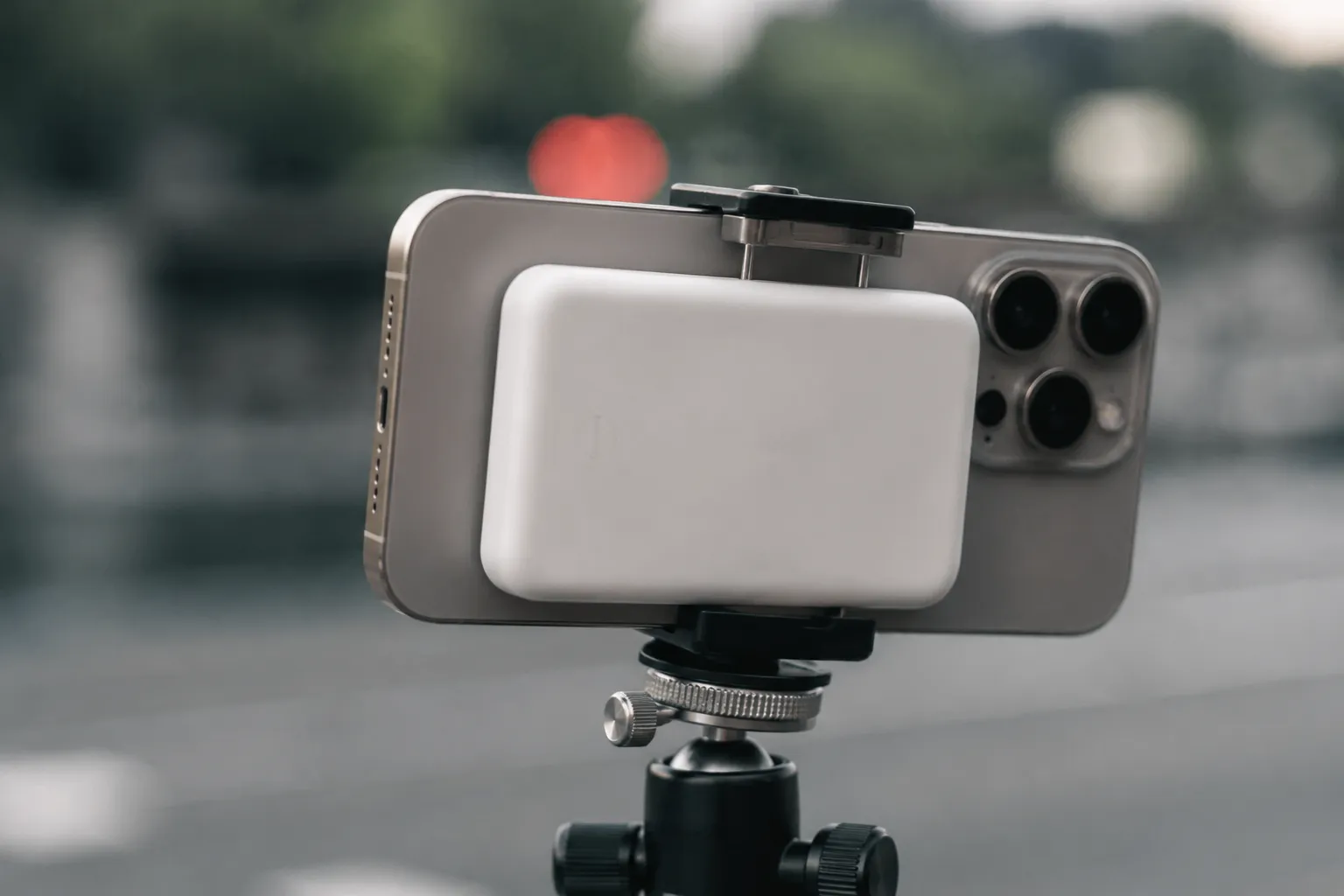
Apple sells a small white puck of a battery, the MagSafe Battery Pack, that sticks to the back of an iPhone and costs more per milliamp hour than almost any power accessory on the market. It is a product defined by its compromises: it charges slowly, it holds less juice than a traditional power bank, and it generates heat that the iPhone has to manage. The heat question is the interesting one, because heat and phones do not mix, and video recording is one of the most thermally demanding things a phone can do. So the question that sits on the table is straightforward: does slapping Apple's battery pack on the back of an iPhone cause the camera software to step in and throttle, or stop, a video recording session?
The short answer is that it can, but not the way most people assume. The battery pack is not a malicious accessory that deliberately cripples the camera. It is a heat source, and the iPhone's thermal management system treats heat as an emergency. When the internal temperature of the device climbs past a certain threshold, the software begins to protect the hardware. That protection can mean a dimmed screen, a paused charge, or, in the worst case, a message that says the iPhone needs to cool down before it can continue recording. The battery pack makes reaching that threshold more likely, especially in warm environments or during long takes, but the throttle is a consequence of physics, not a firmware conspiracy.
The Thermal Physics of a Stuck-On Battery
Understanding the problem requires a basic picture of how the iPhone manages heat. The phone's processor, camera hardware, and battery all generate warmth during operation. Video recording is especially demanding because the camera sensor is constantly active, the image signal processor is doing heavy work, and the flash LED, if used, draws significant current. All of that energy ends up as heat inside a sealed aluminum and glass chassis. The iPhone has no fan, so it relies on passive cooling: the chassis itself acts as a heatsink, radiating warmth to the surrounding air.
The MagSafe Battery Pack disrupts that arrangement. It adheres magnetically to the back of the phone, covering a large portion of the rear glass panel. That glass is one of the primary surfaces through which the phone sheds heat. By covering it with a slab of plastic, metal, and lithium cells, the battery pack acts like a winter coat. It traps warmth against the chassis. It also generates its own heat while charging, because wireless charging is inherently lossy; a good chunk of the energy transferred across the magnetic coil becomes heat instead of stored charge. The phone is effectively being warmed from both sides at once.
The result is a simple equation: more retained heat plus additional heat generation equals a shorter window before the thermal limits are hit. On a mild day, with the phone not actively charging, the pack may barely matter. The phone can shed enough heat through the edges and the screen to keep everything in check. But in direct sunlight, or in a warm car, or during a long 4K recording, the pack becomes a liability. It reduces the phone's margin for error, and once the margin is gone, the software steps in.
What the Throttle Actually Looks Like
The throttle does not announce itself with a big red warning most of the time. It creeps in. A person recording a long interview or a concert might notice that the screen dims slightly, even though auto-brightness is off. That dimming is the phone trying to cut power draw from the display, which is a major heat producer. The camera app might start dropping frames, or the recording indicator might show a warning that the phone is getting warm. In more severe cases, the recording stops entirely, and the phone shows an alert that it needs to cool down before video recording can resume.
There is a common misconception that the throttle is tied to the battery percentage of the pack itself. A person might think the phone stops recording because the pack is empty, or because the charging logic is confused. That is not how it works. The phone's thermal management does not care whether the pack is at 100 percent or 10 percent. It cares about the temperature of the internal components. A fully charged pack that has stopped charging can still trap heat effectively, because it is still a physical barrier. An empty pack that is actively charging can generate significant heat of its own. Either state can contribute to thermal buildup.
Another misconception is that the throttle only affects the camera. In reality, the phone makes a series of small sacrifices before it gets to the camera. It may reduce the charging speed first, or stop charging altogether, to cut the heat output of the wireless coil. It may lower the screen brightness. It may limit background tasks. The camera is one of the last things to be sacrificed, because Apple prioritizes the user experience of the active app. But when the temperature keeps climbing, the camera is eventually on the chopping block, because a hot image sensor produces noisy, degraded footage, and the phone refuses to record garbage.
The Battery Pack Versus a Plain Cable
The comparison that clarifies the issue is between the MagSafe pack and a traditional wired power bank. A wired bank connects to the Lightning or USB-C port and sits in a pocket or on a table. It does not touch the phone's chassis at all. It generates heat inside its own enclosure, but that heat is dissipated into the surrounding air, far away from the phone's internals. The phone still generates its own heat from recording, but it can shed that heat through its rear glass unimpeded. The result is that a wired bank is thermally invisible to the phone. It can provide power indefinitely without contributing to the thermal load.
The MagSafe pack is the opposite. It is physically bonded to the phone, and it cannot be ignored by the thermal management system. It is not just a power source; it is a thermal event. This is why many videographers who use MagSafe gear on a regular basis will switch to a wired connection for long recording sessions. They have learned that the convenience of the magnetic attachment is not worth the risk of a dropped recording. The pack is fine for casual use, for topping off a phone in a pocket, or for a quick burst of extra battery life. It is not fine for sustained high-performance tasks.
This distinction matters because the MagSafe pack is marketed as a seamless accessory, and Apple's own advertising tends to show it attached to the phone during all kinds of activities. The reality is that the pack is best used as a top-up device, not as a continuous power source for heavy workloads. A person who slaps it on and then immediately starts a 30-minute 4K recording session in the summer is asking for trouble. The phone will likely survive, but the recording may not.
The Heat Test Nobody Runs
Most of the discussion around this issue happens in forum posts and YouTube comments, where people describe their individual experiences. Some people report that they can record for an hour with the pack attached and never see a warning. Others report that the phone shuts down recording after ten minutes. Both accounts can be true. The variable is the environment. A person recording in a 70-degree air-conditioned studio has a completely different experience from a person recording at an outdoor summer event in 90-degree heat and direct sunlight. The ambient temperature is the single biggest factor in whether the throttle appears.
There is also the question of the phone's own state. An iPhone that has been sitting in a hot car, or that has been running navigation in direct sunlight, is already near its thermal limit before the camera app even opens. Adding a MagSafe pack to that scenario is like throwing a blanket on a person who is already overheating. The phone will hit its limit much faster than a phone that started the session cool. This is why controlled tests, run in a lab with consistent temperatures and fresh phone states, tend to show less dramatic throttling than real-world reports. The lab does not replicate the messy reality of a hot pocket, a sunny windshield, or a long day of use.
The iPhone does have a feature that helps in some cases. When the phone detects that it is charging wirelessly and the temperature is rising, it can reduce the charging speed to as low as 5 watts, or stop charging entirely. This reduces the heat generated by the charging coil, which gives the phone a better chance of continuing to record. But this is a reactive measure, not a proactive one. The phone has to detect the heat before it can respond, and by the time it responds, the internal temperature may already be elevated. The damage to the recording session, in terms of dropped frames or a forced stop, may already be done.
What the Warning Messages Really Mean
When the throttle kicks in, the iPhone shows specific messages depending on the severity. The most common one, seen in the camera app, says that the iPhone needs to cool down before it can continue using flash or recording video. This message is not a bug. It is a deliberate design choice. Apple has decided that it is better to interrupt a recording than to let the phone run so hot that it damages the battery or the display. Lithium-ion batteries degrade permanently when exposed to high temperatures, and the iPhone's battery is not user-replaceable in any practical sense. The throttle is protecting the investment.
A person who sees this message while using a MagSafe pack should understand that the pack is not the root cause. The root cause is the heat generated by the recording process itself, combined with the ambient temperature, combined with the insulating effect of the pack. The pack is a contributing factor, but it is not the sole cause. In a cool room, with a fresh phone, the same recording session might run indefinitely with the pack attached. The message appears only when the system is genuinely overwhelmed.
There is a practical workaround that many users discover on their own. When the warning appears, they can simply detach the MagSafe pack and continue recording with the phone running on its own battery. The phone will immediately begin shedding heat through the now-exposed rear glass, and the recording can often resume within a minute or two. This is not a fix for the underlying thermal limits, but it is a way to salvage a recording session in the field. The pack becomes a top-up device that is applied before the recording and removed once the recording starts.
The Verdict on the White Puck
The MagSafe Battery Pack is a well-designed accessory for its intended purpose, which is extending the battery life of an iPhone during normal use. It is not a professional video accessory, and it was never designed to be one. The people who use it for video recording are pushing it beyond its design envelope, and the throttle they experience is the phone's way of saying that the envelope has been exceeded. The pack does not secretly throttle video recording through some hidden software switch. It throttles it through the plain physics of heat retention and heat generation, and the phone responds exactly the way it should.
For a person who needs to record long video sessions, the solution is not to blame the pack or to demand a firmware update. The solution is to use a wired power source, or to remove the pack before recording starts, or to accept that the recording may be cut short in warm conditions. The pack is a convenience item, and convenience has a thermal cost. Understanding that cost, and planning around it, is the only way to get reliable performance from an iPhone when the recording light is on.