
Shop Mous iPhone 17 Cases
Shop Mous Galaxy S26 Cases
Shop Mous Pixel 10 Cases
Shop AirPods Cases at Mous
The laptop stand market runs on a lie: that the problem is ergonomics. Raise the screen to eye level, the thinking goes, and the wrists, neck, and shoulders all fall into alignment. A person could spend hours reading about the gold standard of lumbar support and the precise angle of the ulnar nerve, but all that biomechanics talk evaporates the moment the stand is placed on a wobbly café table next to a half-empty espresso cup. The actual enemy is not posture. It is the shudder.
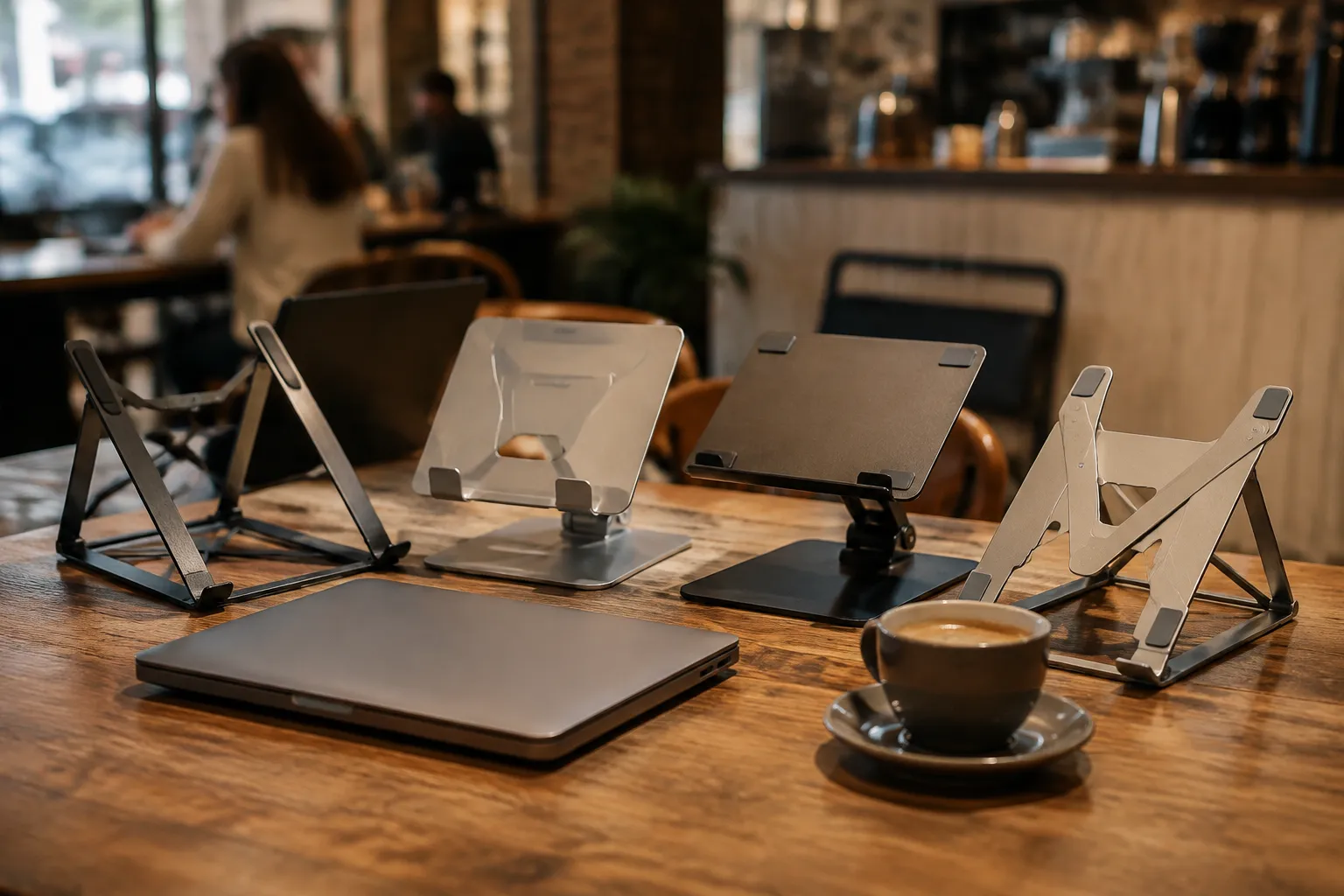
Every stand on the market claims stability, but stability is relative. A stand can be perfectly rigid on a solid oak desk and completely useless on a laminate table with a metal frame that flexes when a server walks by. The wobble is not always the stand's fault, but the stand is what a person blames when the cursor skitters across the screen and types a string of "rrrrrr"s into a message draft. This comparison puts four slim, portable stands to the test on a variety of unstable surfaces, aiming to find the one that stays put when it matters.
The four candidates were chosen for their portability and low profile: the Roost Stand V3, the Nulaxy C7, the MOFT Z, and the Twelve South Curve Flex. The Roost and Nulaxy are the classic folding tripod designs. The MOFT Z is a foldable origami-style stand that attaches to the laptop's bottom. The Curve Flex is an aluminum arm that folds flat. All four promise the kind of stability that allows a person to type aggressively without watching the screen shake like a leaf in a storm.
The Unstable Table Test
Testing happened at three locations. The first was a chain coffee shop with those heavy, industrial tables that seem welded to the floor; a person could do jumping jacks on them without causing a ripple. The second was an independent café with thin, cast-iron bistro tables that rock gently on uneven tile. The third was a kitchen counter with a slight overhang, which is a real-world test of the rubber feet on any device.
The bistro table proved to be the great equalizer. Every stand amplified the inherent instability of the table itself, but some amplified it more than others. The test was not just about slow typing. The test involved rapid-fire typing, sudden palm rests on the wrist pad, and the occasional deliberate bump of the table to simulate a careless passerby or a barista sliding a plate across the next table. The metric was simple: does the screen stop moving within a second, or does it oscillate like a tuning fork?
Roost Stand V3: The Premium Tripod's Fatal Flaw
The Roost V3 is the darling of the digital nomad crowd, and for good reason. It is light, incredibly compact when folded, and looks like a piece of modern sculpture. The glass-filled nylon has a nice texture, and the adjustment mechanism is a simple clip that slides along the spine. It holds a 14-inch MacBook Pro with a reassuring firmness. On the stable chain coffee shop table, it felt perfect.
On the bistro table, the Roost revealed a structural weakness. The stand is narrow at the base, and all that weight sits up high with a long lever arm. The laptop rests at an angle that places the center of gravity slightly behind the front edge of the stand's feet. Any aggressive keystroke or table vibration causes a forward-backward pitching motion that is difficult to dampen. The nylon material, while great for weight, does not absorb vibration; it transmits it. The screen displayed a faint, continuous jitter that made reading text exhausting.
The rubber caps on the feet are small and cylindrical. They grip well on wood and plastic, but on the slightly textured surface of the bistro table, they had a tendency to skid forward if the laptop was pulled down toward the user. It is a premium product with a premium price, and the stability simply does not match the cost. It is an excellent desk stand for a person who never moves it.
Nulaxy C7: The Budget Champion's Hidden Weakness
The Nulaxy C7 is the Amazon bestseller, often found for under thirty dollars. It is a direct copy of the Roost design, but made with cheaper aluminum. It is heavier, bulkier, and the adjustment mechanism is a set of interlocking blocks that hold the laptop at fixed angles. The build quality is acceptable for the price, but the hinges feel gritty.
Here is where the testing gets interesting. On the stable table, the Nulaxy felt more solid than the Roost. The extra weight and thicker metal actually served to dampen higher-frequency vibrations. The aluminum absorbs a bit of the shock that the nylon transmits. It also has a wider base, which lowers the center of gravity slightly. For a budget product, it outperformed the premium one in basic rigidity.
The weakness emerges under pressure. The laptop sits on two raised rubber nubs at the bottom of the stand. Those nubs have a hard, slick surface. When the table was bumped, the laptop did not pitch like it did on the Roost. Instead, the laptop slid backward off the nubs entirely. The friction between the laptop's rubber base and the stand's silicone pads is almost nonexistent. A person has to be careful not to push too hard when reaching for the keyboard, or the whole machine will shift positions. This is a dealbreaker for a café environment where the table might be at an awkward height.
MOFT Z: The Origami Experiment
The MOFT Z takes a completely different approach. It is a foldable cardboard and fiberglass structure that sticks to the bottom of the laptop using a strong adhesive. When unfolded, it creates a Z-shape that props up the back of the laptop. There is no separate piece to carry, which is a genuine convenience. It disappears when folded flat, adding only a few millimeters of thickness.
The Z design offers two angles, and the lower angle is the only one usable for typing. The higher angle turns the laptop into a display, which is useless unless a person carries a separate keyboard. On the bistro table, the MOFT Z performed surprisingly well at the lower angle. The wide, flat footprint distributes the weight across a large surface area, making it relatively stable. The laptop is so low to the table that there is very little leverage for it to pitch forward.
But the structural rigidity is compromised. The cardboard layers flex. When typing hard at the center of the keyboard, the entire laptop visibly dips in the middle, creating a concave curve in the chassis. The screen flickers with a low-frequency bounce that feels like typing on a trampoline. The adhesive pad also leaves a residue on the bottom of the laptop that is difficult to remove cleanly. For a person who values the clean lines of a laptop and occasionally wants to work on their lap, the permanent attachment is a deterrent.
Twelve South Curve Flex: The Curveball
The Curve Flex is a two-piece aluminum arm system. Two legs fold out from a central hinge, creating an A-frame. The laptop rests on a silicon lip at the front and a raised bar at the back. It folds flat and looks elegant. It is the most expensive option in this test, with a price that rivals the Roost.
The engineering here is clearly a cut above. The aluminum extrusions are thick, and the hinges snap into place with a satisfying click. The rubber feet on the bottom are large, soft, and grippy. On the bistro table, the Curve Flex was the most resistant to forward pitching. The wide stance and low profile prevent the kind of leverage that plagues the tripod designs.
However, it suffers from a different issue: lateral torsion. The two arms are connected by a single central hinge, and that hinge has a tiny amount of play. When a person pushes off with the right hand and rests the left hand on the palm area, the entire structure twists slightly along the vertical axis. The right side of the screen shifts forward about a millimeter, creating a constant, subtle blur. It is barely perceptible at first, but once noticed, it is impossible to ignore. It feels like the laptop is sitting on a loose table leg.
Introducing the Real Test: The Latte Vibration
Past the basic wobble test, there is the specific problem of the espresso machine. Most cafés have a grinder and a tamping station that sends low-frequency vibrations through the building. A stand on a stable table can still fail when the barista grinds beans twenty feet away. The vibration travels through the floor, up the table leg, and into the stand's feet.
This is where the material of the stand truly matters. The hard plastic and metal of the tripod stands did nothing to isolate these vibrations. The entire assembly acted as a speaker cone, transmitting the hum directly into the laptop's chassis. The MOFT Z, with its cardboard construction, actually absorbed some of this low-frequency hum. The paper layers acted as a natural damper. The Curve Flex, with its rigid aluminum, transmitted the vibration with annoying clarity, but the large rubber feet at the base cut off a significant portion of the path. The rubber acted as a filter, leaving only a faint, high-frequency tingle.
The conclusion is uncomfortable for the premium brands: the cheap, flexible cardboard stand beat all the rigid metal ones in this specific scenario. The tradeoff is that it does not offer a good viewing angle for the screen, forcing a hunched posture that negates the purpose of using a stand in the first place.
Feet, Lips, and the Physics of the Push
Typing exerts a constant forward force on the laptop. Every keystroke pushes the machine forward, and the stand's feet must resist that force. The Roost and Nulaxy, with their small rubber caps, rely on friction alone to stop the slide. The MOFT Z, glued to the laptop, transfers that force directly to the table, and its wide base holds well. The Curve Flex uses a different approach: a lip at the front prevents the laptop from sliding forward, but this lip is shallow.
On the Curve Flex, the lip is about five millimeters high. It is enough to stop a slow slide, but when a person pushes off from the space bar or rests their palms on the lower chassis, the laptop's rubber base compresses and climbs over the lip. This is not a design flaw; it is a physics failure. The angle of the stand, combined with the smooth surface of the aluminum lip, creates a ramp that the laptop eventually surmounts. It happens gradually, so a person does not notice until the keyboard is dangerously close to the edge.
This is the core tension of portable stands. A stand that is wide enough to be stable is too wide to be portable. A stand that is light enough to carry in a bag lacks the mass to dampen vibration. A stand that relies on friction to stay put fails when the surface is slightly dusty. The only way to solve all these problems is to make the stand heavier, which defeats the purpose of portability.
The Surface Variable Nobody Tests For
Manufacturers test their stands on clean, flat, dry surfaces. The real world has crumbs, spilled sugar, and the greasy film left by a croissant. This film is the silent killer of laptop stands. On the bistro table, a faint residue from a previous customer's pastry rendered every rubber foot useless.
The Roost and Nulaxy began to slide almost immediately. The Curve Flex's larger feet held on for a few minutes, but the constant pressure from typing eventually broke the seal. The MOFT Z was the only survivor, and it survived purely because it distributes the weight over such a large area that the grease film could not overcome the surface tension. The difference in performance was not about the stand's design, but about the size of the contact patch.
For a person who frequents busy cafés, wiping the table with a napkin before setting up is not just good manners. It is a technological necessity. No stand design can overcome a surface that has been contaminated with lipids. The test revealed that the most important accessory is not the stand, but the paper napkin used to wipe the table clean.
The Laptop Weight and the Folding Hinge
All these stands advertise compatibility with laptops up to sixteen inches, but there is a difference between holding a laptop and holding a laptop securely. A heavy 16-inch workstation laptop acts as a pendulum on the tripod designs. The Roost and Nulaxy, when loaded with a heavy machine, feel top-heavy. The stiffness of the hinge mechanism has to compensate for the increased torque.
The Roost's hinge, which uses a friction clip, becomes erratic with heavy loads. It slips a few millimeters after a few minutes of use. The Nulaxy, which uses a locking block, holds its position better, but the block itself bends slightly under the weight. The Curve Flex does not have this issue, as the weight is distributed directly down the legs. The MOFT Z, glued to the laptop, does not care about the laptop's weight at all, but the adhesive begins to peel if the laptop gets warm during intensive tasks.
The conclusion here is that a person with a heavy laptop should avoid tripod designs entirely. The physics is against them. The only secure options are the direct-support designs like the Curve Flex and the MOFT Z, each with their own compromises.
The Unstable Price-to-Performance Ratio
The four stands represent a price range from about twenty to ninety dollars. The Nulaxy is the cheapest, and the Curve Flex and Roost are the most expensive. The MOFT Z sits in the middle. Comparing the performance on unstable tables to the price reveals an inverse relationship that makes no logical sense.
The Nulaxy, at a quarter of the price of the Roost, offered better rigidity and a lower center of gravity. The only failure was the slick rubber nubs, which can be fixed with a piece of grip tape. The Roost, for all its design elegance, offered the worst stability because its material and geometry amplify vibrations. The Curve Flex, the most expensive, solved most of the pitching issues but introduced a lateral twist that was frustratingly difficult to live with.
The MOFT Z, which costs more than the Nulaxy but less than the Curve Flex, was the most stable in the most real-world scenarios, but it sacrificed the entire purpose of a stand: raising the screen to a comfortable height. It only offers a screen elevation of about two inches, which is barely enough to make a difference. This is the paradox. A person cannot have both a high screen and a stable base when the base is attached to a laptop that needs to sit low.
The expensive stands are selling a premium feel, not premium performance. The aluminum and nylon look great in a studio photograph, but they fail in a café. The cheap plastic stands, with their clumsier design, often work better because they are heavier and wider. The industry has optimized for the wrong metrics, valuing aesthetics and portability over the simple, boring need of not shaking.
A Note on the Fixable Failures
The Nulaxy's sliding laptop is a problem a person can solve. A small piece of double-sided tape or a strip of craft foam placed on the rubber nubs adds enough friction to stop the slide. The Roost's vibration issue is also fixable, to a degree. Placing a small piece of leather or cork between the laptop and the stand's arms changes the contact point and dampens some of the transmitted vibration. The Curve Flex's lateral twist is a function of the central hinge, and there is no easy fix without drilling into the metal.
This is the difference between a flawed product and a broken one. The Nulaxy and the Roost have design flaws that can be mitigated with aftermarket hacks. The Curve Flex has a structural flaw that cannot be repaired. The MOFT Z is the most stable, but it does not solve the problem of screen height. No amount of modification can turn it into a stand that places the screen at eye level.
A person should buy the Nulaxy and spend the remaining money on a mat of non-slip drawer liner to cut into small pads. This is the budget solution that outperforms the premium competition. For those who refuse to buy a plastic stand, the Roost can be made acceptable, but it requires the user to type gently, which is not a realistic expectation for anyone doing actual work.
The café table test is unforgiving. It strips away the marketing language and exposes the basic physics. A laptop stand is a simple machine: a wedge that holds a screen at an angle. When the surface fails, the angle fails. The only way to win is to increase the contact area and lower the center of gravity. The winning move is not buying a more expensive stand, but placing a thin sheet of cork under whatever stand a person already owns. The cork acts as a universal damper, absorbing the vibrations that the rigid materials transmit. That solution costs two dollars and solves every problem raised in this test. The rest of the market is selling a false sense of stability.