
Shop Mous iPhone 17 Cases
Shop Mous Galaxy S26 Cases
Shop Mous Pixel 10 Cases
Shop AirPods Cases at Mous
Wrist rests built into keyboard sleeves sound like a solution to a problem nobody bothered to name. A sleeve exists to protect a keyboard in a bag. A wrist rest exists to change the angle of a person's hands while typing. Combining them means the cushion lives on the outside of the case, which is precisely where a person's palms never are during actual work. The category makes sense only when the sleeve doubles as a typing surface, a lap pad, or a stable base for hotel-desk sessions. Those products exist now, and they range from genuinely thoughtful to purely decorative.
The first thing to understand is that most keyboard sleeves with wrist rests are not trying to be typing surfaces at all. They are trying to be pillows. The manufacturer sews a padded bolster along the bottom edge of a neoprene or nylon sleeve, and the marketing team photographs it next to a laptop on a wooden table. The implicit claim is that a person will rest their wrists on the sleeve's own fabric while the keyboard sits inside it. That arrangement fails for two reasons. The keyboard inside the sleeve sits at the bottom of the case, so the wrists land on the bolster while the fingers reach down to the keys at a lower plane. The wrist rest is higher than the keyboard. That is the opposite of ergonomic sense.
Ergonomics generally favors a neutral wrist position. The forearm should run roughly parallel to the desk, with the wrist straight or only slightly extended. A wrist rest that raises the palm above the keyboard forces the wrist into extension, which increases strain on the tendons over a long session. The built-in rests on most sleeves do exactly this because the sleeve's bottom edge is thicker than the keyboard tray inside it. The cushion adds maybe 15 millimeters of height, and the keyboard sits recessed by the thickness of the sleeve's own fabric. The net result is a typing surface that pitches the hands upward at an angle that no ergonomics consultant would approve.
Then there is the stability question. A sleeve is a flexible envelope. It has no rigid base. When a person types with the keyboard inside it, the whole assembly shifts and buckles with each keystroke. The fabric wrinkles under the palms. The keyboard slides around inside the sleeve unless there is a strap or a friction lining. The wrist rest, far from anchoring the setup, becomes another moving part. This is the fundamental design tension in the category: a sleeve must be soft enough to protect a keyboard in a bag, but a typing surface needs to be firm and flat. No single material does both jobs well.
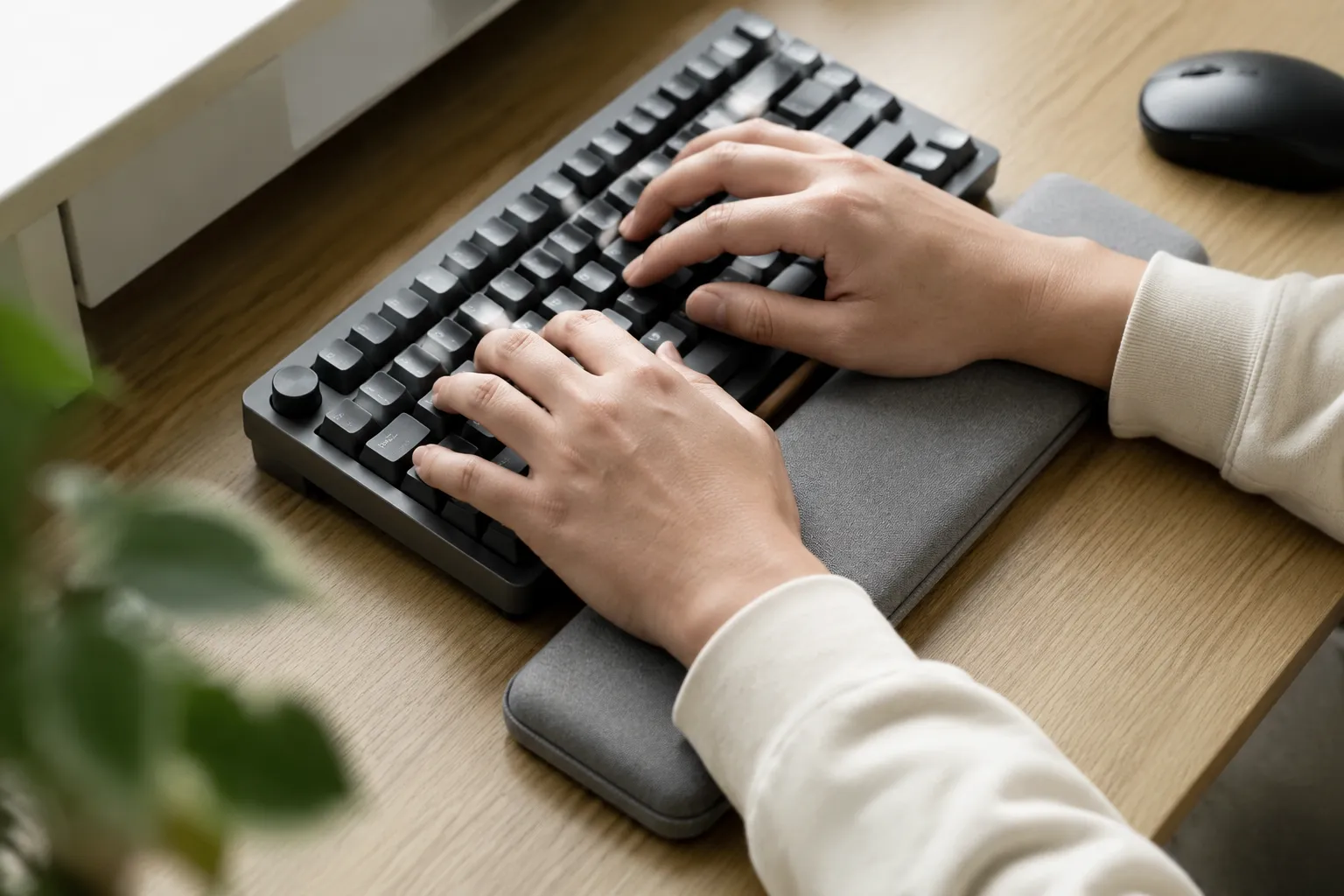
Some manufacturers have tried to split the difference with a roll-top design. The keyboard slides into a sleeve, and the bottom flap rolls out and unfolds into a flat mat with a padded bar at the far edge. This creates a typing surface that extends forward from the keyboard, giving the wrists a place to land that is level with or slightly below the keycaps. The roll-top approach works better than the simple bolster because the wrist rest is on the same plane as the keyboard. The problem shifts to the material. The mat is usually a thin fabric with a sewn-in foam pad, and it has no structure of its own. On a hard hotel desk it works fine. On a lap it drapes over the thighs and slopes toward the floor, dragging the keyboard with it.
A second approach builds the wrist rest into a rigid folding stand. The keyboard sits in a tray, and the front edge of the tray folds down or out to create a palm platform. These are less sleeves and more carrying cases with a dual purpose. The rigid construction solves the stability problem completely. The wrist rest is flat, level with the keyboard, and does not move. The trade-off is bulk. A rigid case with a folding front panel is significantly thicker and heavier than a fabric sleeve, and it does not slide easily into a backpack's laptop compartment alongside a notebook. It becomes a separate item that a person has to carry deliberately.
The lap desk variant deserves attention because it addresses the most common real-world scenario for people who buy mechanical keyboards in the first place. A person buys a compact 60 percent or 65 percent board for travel, pairs it with a tablet or a laptop, and ends up typing on trains, in coffee shops, and on couches. On a couch, there is no desk at all. The keyboard rests on the thighs, and the wrists hover with no support. A sleeve with a wide, flat bottom panel and a firm bolster at the front edge turns the whole unit into a makeshift lap desk. The key detail is the width of the bottom panel. It needs to extend far enough forward that the forearms, not just the wrists, can rest on it. Most built-in rests are too narrow for this. They support the heel of the palm but leave the forearms dangling, which transfers all the weight to the wrist joint.
Material choice separates the useful from the useless more than any other factor. The best wrist rests in this category use a dense memory foam or a closed-cell foam with a firm outer shell. The worst use a soft polyester fill that compresses to nothing after a few weeks. A wrist rest that bottoms out against the hard edge of the sleeve's internal seam is worse than no rest at all, because it creates a pressure point directly under the carpal area. Testing a sleeve in a store is almost impossible, since the relevant quality is how the foam behaves after twenty minutes of continuous typing, not how it feels for five seconds in the hand.
There is also the question of whether the wrist rest should attach to the sleeve at all. Detachable rests solve the main ergonomic problem by letting the user position the rest independently of the keyboard. A magnetic or hook-and-loop attachment lets the rest sit slightly lower than the keyboard's front edge, which is the configuration that most closely matches a neutral wrist angle. The sleeve remains a simple protective envelope when it needs to be, and the rest becomes a separate tool that can be positioned, adjusted, or removed entirely. This adds a step to the setup process, but it eliminates the compromise that plagues every fixed design.
The fixed designs do have one genuine advantage: they cannot be lost. A detachable rest lives in a bag, and a person who travels frequently will eventually leave it in a hotel room or an airport lounge. The built-in rest is always there, which matters more than it sounds. The people who need wrist support most are the ones who forget to bring it. A sleeve with a mediocre built-in rest beats a perfect detachable rest that stays at home. This is the argument for the category, and it is a real one. The question is whether the mediocre rest causes enough strain to outweigh the convenience of always having it present.
For a person who types for short bursts, fifteen minutes here and there, the convenience argument wins. The built-in rest is fine for casual use, and the fact that it is always attached means it always gets used. For a person who writes for hours at a stretch, the fixed bolster on most sleeves becomes a liability. The sustained pressure on the wrist at an awkward angle produces fatigue that a person notices only after the session is over. The damage is not dramatic, just a dull ache that builds over weeks. The detachable rest, or a separate wedge placed under the keyboard's front edge, serves that person better.
What the good ones actually do differently
The sleeves that get this right share a few specific design choices. First, the wrist rest is angled, not flat. It slopes downward from the keyboard's front edge toward the desk, so the palms land on a gentle incline rather than a raised bar. This keeps the wrist in a more neutral position even when the rest is thicker than the keyboard. Second, the rest is wider than the keyboard itself, extending past both ends so the hands can move laterally without falling off the padded surface. Third, the foam is dense enough to hold its shape under sustained pressure. A quick squeeze in a store tells a person little. The right test is pressing a thumb into the foam and watching how slowly it recovers. Fast recovery means soft fill that will compress quickly. Slow recovery means the foam will hold up.
The angle of the entire sleeve matters too. Some designs taper the whole case, with a thicker bottom edge that raises the back of the keyboard. This is a subtle but important detail. Raising the back of the keyboard by even a few degrees reduces wrist extension, and it costs nothing in terms of bag fit. A sleeve that lies perfectly flat forces the wrists into a slightly extended position that the built-in rest then tries to correct. The two features work against each other unless the designer has thought about the full geometry of the typing position.
The real test is a laptop on a lap
The most honest test for any of these products is not a desk. It is a couch, a train seat, or a bed, the places where a person actually uses a compact keyboard away from home. On a desk, a simple foam wedge placed under the keyboard's front edge costs a few dollars and works better than any sleeve-mounted rest. The sleeve's built-in cushion only makes sense when there is no desk, when the keyboard has to function as a self-contained unit. In that scenario, the sleeve's bottom panel becomes the entire worksurface, and its stiffness determines whether the typing experience is stable or miserable.
A sleeve with a soft fabric bottom will not work on a lap. The fabric grips the thighs and bunches up, tilting the keyboard. A sleeve with a stiff, structured bottom panel, often reinforced with a hidden plastic or cardboard insert, holds its shape and provides a stable base. The wrist rest on such a sleeve becomes genuinely useful, because the whole assembly does not move. The difference between these two types is visible immediately. The structured sleeve stands up on its own when empty. The unstructured one collapses into a heap.
The built-in wrist rest category is still young, and the market has not settled on a dominant design. That is a good thing. The variety means a person can find a product that matches their specific usage pattern, but it also means the quality spread is enormous. Some sleeves treat the wrist rest as a marketing checkbox, a lump of foam sewn on because the spec sheet demanded it. Others treat it as an engineering problem, with careful attention to angle, density, and the relationship between the rest and the keyboard's height. The difference is obvious within the first minute of typing.
Anyone shopping for one of these should bring a keyboard to the store, or at least know the exact height of the keyboard they plan to pair with the sleeve. The height of the front row of keycaps determines everything. A low-profile keyboard needs a thin rest. A keyboard with tall sculpted keycaps needs a thicker one. The rest should sit at or slightly below the level of the front keycaps, never above them. This single measurement, taken with a ruler, filters out most of the bad options before a person even touches them.
The people who will get the most from a built-in wrist rest are the ones who stopped using a full-size keyboard and switched to a compact board for travel, then discovered that typing on a hard train tray table for three hours leaves their wrists aching. For that person, a sleeve with a well-designed rest is not a luxury. It is the difference between arriving at a destination with functional hands and arriving with the dull, nagging fatigue that turns a work trip into a physical ordeal. The category has real use. The execution just needs to catch up to the need.